Who does what
What changes for your team.
meda writes the note from the consultation. Your team reviews and approves. Here is what that means for each role in your practice: the doctors, the billing team and nurses (MFA), and management.



One consultation
How the three work together.
Management sets who does what at each location, and decides on bringing in meda.
For the doctor
Both halves of your day, in one loop.
meda Notes writes your consultation down and turns it into a structured note, in German medical language, inside the workflow you already have. meda Billing then reads that same note and suggests the EBM, GOÄ and HzV billing codes (Ziffern) it supports. You document once. The billing follows from it.
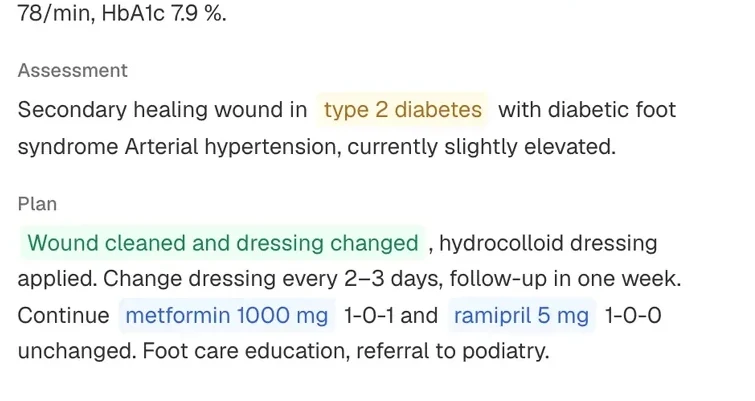
The suggestions in your visit: keep them, remove them, or mark them unsure.
Hunt through last quarter for what was missed, or justify a code you cannot see the reason for. Every suggestion shows its reason.
Every suggestion with its reason, so a question is settled in the note, not from memory.
The code does not go into your PVS. Only what you approve does.
For the billing team and nurses
meda does not do your job. It puts it in one list each day.
You get a list each day. meda surfaces documented services that were never billed, each with its reason. You prepare the review, sort the clear cases, and put the genuinely uncertain ones in front of the doctor who wrote the note.
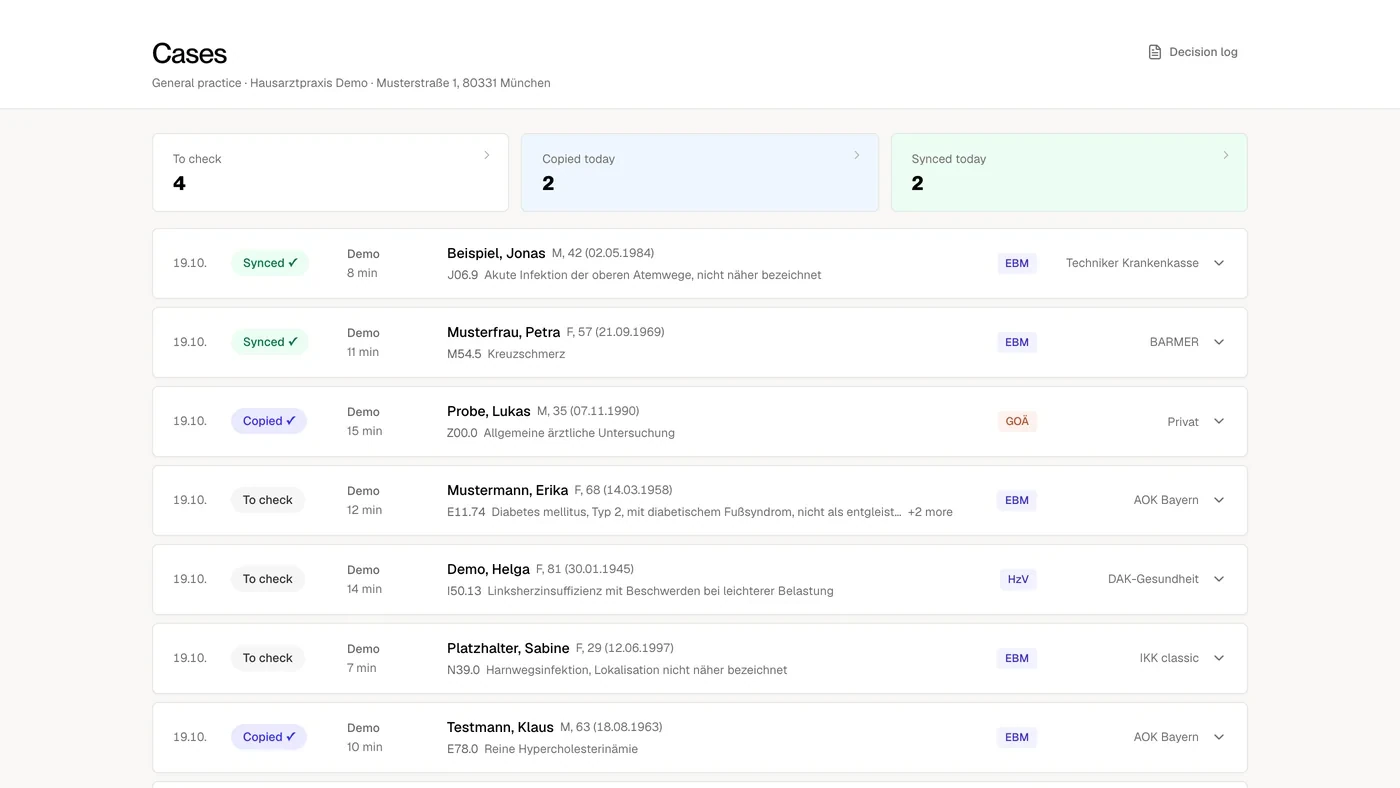
Prepare the review, sort what is obvious, keep the quarter moving.
The conversation with the patient. In the visit they see the suggested billing codes and tick or untick them.
A short review each day, with the suggestions in one list.
Every approved billing code keeps its link to the note it came from, which is the answer when the KV asks.
For management
The same standard at every location, no new staff.
meda writes the documentation from the consultation and suggests the billing codes those notes support. It runs above the practice software (PVS) each location already uses. You set who has which role at each location. No one takes on extra documentation, and no location has to wait for another.
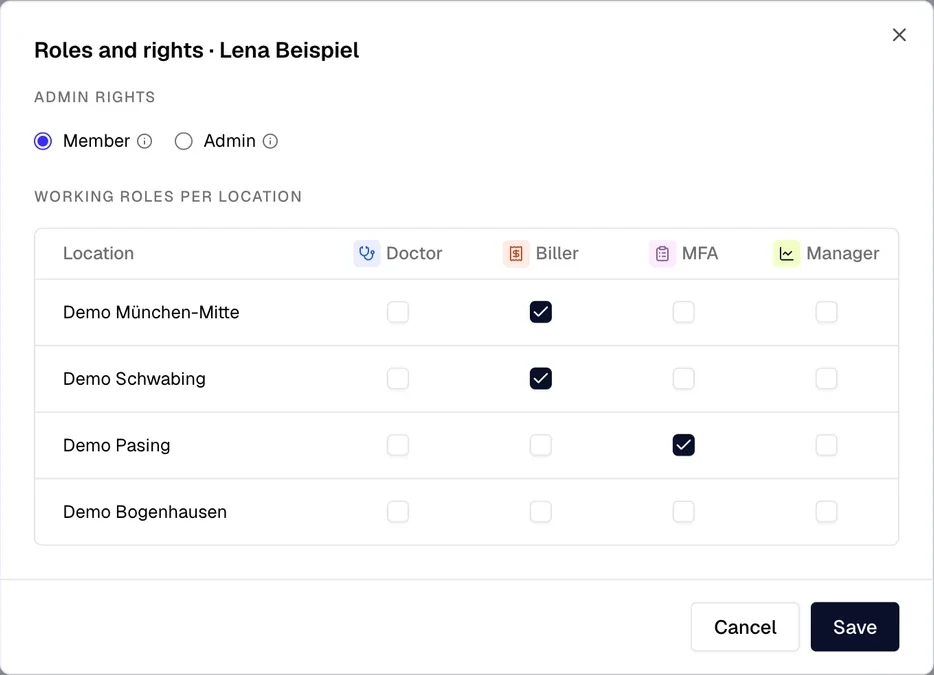
With your practice. Your team approves every billing code before it goes into your PVS.
With meda Billing, logins for your nurses, billing team and practice management are free.
You pay per doctor per month; we give you the price in your demo. Setup is included for practices; groups from 3 sites get a custom offer.
Nothing enters your PVS unless it is approved. meda works with any PVS.
Common questions
Does meda replace our billing team?
No. meda shows the documented services, each with its reason. Your team reviews and approves.
Who approves the billing codes?
Your team. Whoever does your billing reviews the suggestions and approves them; no code enters your PVS without that approval.
What do logins for the team cost?
With meda Billing, nothing: billing staff, nurses and management work in meda for free. meda Notes on its own includes no team logins.
Do we have to change our PVS?
No. meda works above your existing PVS, whichever one it is.
What happens to our data?
Our servers are in the EU, audio is deleted immediately after transcription, and meda never trains on your data. Your practice signs a Data Processing Agreement (AVV) before the first record. The details are on our security page.
Want to see how it works in your practice?
A 30-minute call about your practice software (PVS), your contracts and your KV. If you are the doctor and someone else decides — send them this page.